TeraBox links are everywhere on Telegram: movies, courses, web series, software packs shared across thousands of groups daily. But actually downloading from them is a different story.
Speed limits kick in halfway through. Ads stack up before anything loads. The app pushes you toward a premium plan before you’ve downloaded a single file. It’s friction by design, and most people just silently put up with it.
The smarter move? A TeraBox downloader bot for Telegram. You stay inside Telegram, paste the share link, and get a direct download back in seconds. No account. No app install. No ads. Just your file, fast.
What Is a TeraBox Downloader Bot on Telegram?
TeraBox is a cloud storage platform that offers up to 1TB of free space, which makes it a go-to choice for anyone sharing large files online. It’s especially popular across South Asia and Southeast Asia because of how much storage it gives away for free.
But here’s the frustrating part most people don’t talk about openly: actually downloading something from TeraBox without a premium account feels like running an obstacle course. You hit speed caps.
You sit through ads. Sometimes it asks you to log in, download the app, or upgrade your plan just to grab a single video. That’s exactly where a TeraBox telegram bot steps in and changes everything.
A TeraBox downloader bot is an automated Telegram account that does one job really well — you send it a TeraBox share link (like terabox.com/s/xxxxxxx), and it fires back a direct download or stream link within seconds. No account linking. No app install. No premium subscription. Just paste, send, and get your file.
Best Terabox Downloader Bot Telegram — Working List (2026)
Save at least 2–3 bots from this list. They go offline without warning, and having backups is the difference between getting your file today or waiting 48 hours.
Here’s the thing with TeraBox bots: they’re not all created equal. Some are faster, some are more reliable, and some are better for specific file types. After testing these extensively, here’s what actually works right now:
1. @TeraBestBot — Best for Everyday Use
If you only save one bot, make it this one. @TeraBestBot processes TeraBox URLs directly inside Telegram without any complicated setup steps. You don’t need to link your TeraBox account, verify anything, or jump through any extra hoops. Send your link → get your download button. That’s genuinely it.
It’s especially good for users who just occasionally receive TeraBox links in groups and want a quick, clean solution without learning anything new. The interface is minimal and doesn’t try to do too much.
Best for: General use, first-time users, quick downloads. Limitation: Occasionally needs a restart with /start if it goes quiet after an API update
2. @TeraRealBot — Best for Large Files and 4K Videos
@TeraRealBot has built a strong reputation in the community specifically because it handles large files without choking. Where other bots time out or fail silently on files over a few GB, TeraRealBot has been tested on files up to 10 GB+, including 4K video content.
If someone just shared a full movie pack, a high-resolution documentary, or a large software archive in your Telegram channel, this is the bot you want to open.
Best for: Large files, 4K/HD video downloads, power users. Limitation: Slightly higher wait times under peak traffic
3. @TeraSlubBot — Best for Streaming Without Downloading
Not everyone wants to actually download the file. If you’re on mobile with limited storage, or you just want to watch a video without it taking up space on your phone, @TeraSlubBot is genuinely useful. It gives you a stream link so you can watch directly in your browser or a media player app.
This one is particularly handy for people checking out a file before deciding to download it, kind of like a preview before you commit the storage space.
4. @JayBeeTeraBoxDLBot — The OG Bot, Still Reliable
@JayBeeTeraBoxDLBot is one of the earliest public TeraBox downloader bots and has a large user base because of it. It’s video-focused and free, maintained by the @JayBeeBots developer account. The community around it is active enough that when it breaks (and all bots break sometimes), there are usually announcements about when it’ll come back.
5. @Teraboxlinkzdownloader_bot — Clean Interface with Watch + Download Options
This bot gives you both a Download and a Watch button in the same reply, which is a small quality-of-life feature that makes a real difference. It’s ad-free, requires no sign-up, and works cleanly on both mobile and desktop Telegram clients.
The GitHub source for this bot is publicly available, which adds a layer of transparency that privacy-conscious users appreciate.
Also Read: Top 7 Terabox Link Video Downloaders Online without Any Apps 2026
How to Use a TeraBox Downloader Bot on Telegram (Step-by-Step)
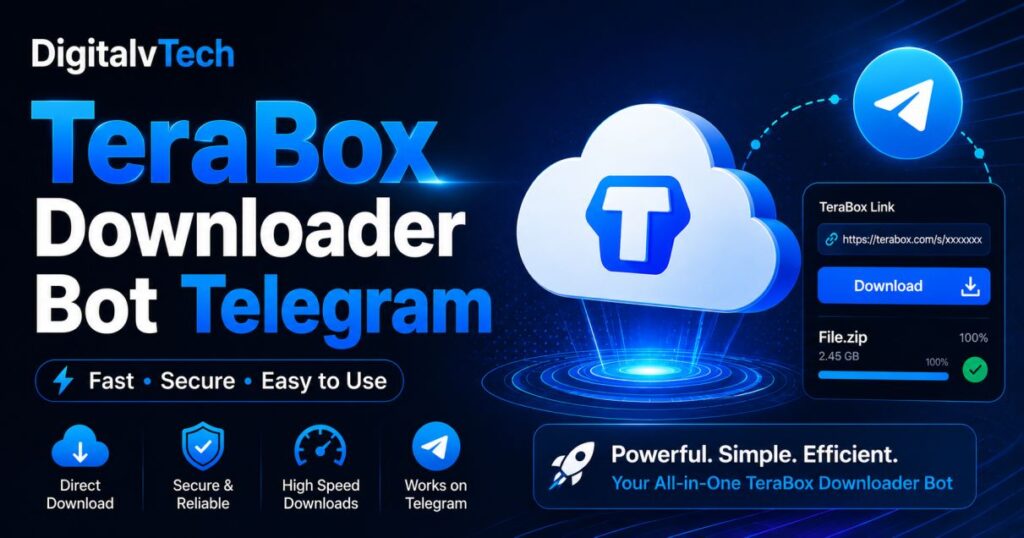
Open Telegram → find the bot → hit Start → paste your TeraBox link → tap the Download or Watch button. The whole process takes under a minute.
This works whether you’re using Telegram on Android, iOS, Windows, Mac, or the browser version at web.telegram.org.
Step 1: Open your Telegram app or go to web.telegram.org
Step 2: In the search bar, type the bot name (e.g., @TeraBestBot) or tap a direct bot link from this article
Step 3: Tap the Start button at the bottom of the chat window to activate the bot
Step 4: Go to the TeraBox link you want to download. This could be from a Telegram group, a channel post, someone’s WhatsApp, wherever you found it
Step 5: Copy the full TeraBox URL. It’ll look something like this: https://terabox.com/s/1AbCdEfGhIjKlMn
Step 6: Paste that link directly into the bot chat and hit Send
Step 7: The bot replies usually within a few seconds with a Download button, a Watch button, or both. Tap the one you need.
One thing to expect: Some bots will ask you to join their Telegram channel before they process your first link. This is called “Force Subscribe,” and it’s how bot developers keep their projects running. It’s normal; it takes 5 seconds, and after that, the bot works freely. Don’t let it throw you off.
Why TeraBox Bots Stop Working (And What to Actually Do About It)
This is the part most guides skip, and it’s the most useful information if you use these bots regularly.
TeraBox bots break. A lot. Here’s why and what you can do each time it happens:
The Real Reasons Bots Go Offline
TeraBox changes its API backend: This is the most common culprit by far. TeraBox regularly updates how its file links and tokens work, which means bot developers have to update their code to keep up. During that gap, the bot simply won’t respond or will return an error. Most bots recover within 24–48 hours once the developer pushes an update.
The bot got reported or banned: Popular bots attract attention, and occasionally Telegram- or TeraBox-related reports can result in a bot being taken down. If a bot link suddenly shows “This user doesn’t exist,” that’s usually what happens.
Server overload: Some bot developers run their bots on personal or low-cost servers. When a bot gets shared widely and thousands of people hit it simultaneously, it slows down or goes offline temporarily.
You haven’t completed the Force Subscribe step: If you skipped joining the required channel, the bot won’t process your link. It’s easy to miss.
How to Fix It (In Order of What to Try First)
- Try a different bot from the list: The fastest fix is always a backup bot. This is why you keep 2–3 saved.
- Type /start in the bot chat: Sometimes the bot just needs a restart command to wake back up.
- Check the bot’s own Telegram channel: Most active bots have a linked channel where the developer posts downtime announcements and fix updates. Check there before giving up.
- Wait 24–48 hours: If it’s an API change issue, it usually resolves itself once the bot is updated.
- Use a web-based alternative: Sites like teradownloader.com or pastedownload can serve as emergency backups when all bots are down simultaneously.
pop-up ads, countdown timers, and captcha walls. For occasional use they’re fine. For regular use, they’re genuinely annoying.
Is It Safe to Use a TeraBox Downloader Bot?
Here’s what these bots actually receive from you: the TeraBox share link you send them. That’s it. They don’t have access to your Telegram account, your personal messages, your contacts, or your other files. The bot interaction is isolated; it’s essentially a lookup tool that takes a public TeraBox URL and returns a direct link.
That said, here are the boundaries you should respect:
- Never share your TeraBox login credentials with any bot. A legitimate TeraBox downloader bot doesn’t need your username or password; it only needs the share link. Any bot asking for your login details is a red flag.
- Stick to bots with active user bases and visible developer accounts. Bots with thousands of active users and responsive developers are much less likely to be collecting your data for malicious purposes.
- Open-source bots are the most transparent option. Bots like @Teraboxlinkzdownloader_bot have their source code publicly available on GitHub, meaning anyone can audit exactly what the bot does when you send it a link. This is about as trustworthy as it gets in this space.
- Don’t download .exe files or APKs that any bot sends you unprompted. Downloading files is the point, but if a bot sends you an executable file you didn’t ask for, don’t open it.
The short version: using a well-known TeraBox Telegram bot to get a download link for a file you already have the share URL for is about as risky as using any other download tool. Keep basic digital hygiene in place, and you’ll be fine.
Conclusion
A TeraBox downloader bot on Telegram is, genuinely, the simplest way to handle TeraBox links in 2026 — especially if you’re already spending time inside Telegram and receiving these links regularly.
No account setup. No app to install. No ads slowing you down. Just paste your link and get a direct download or stream link back in a few seconds.
The five bots covered in this guide — @TeraBestBot, @TeraRealBot, @TeraSlubBot, @JayBeeTeraBoxDLBot, and @Teraboxlinkzdownloader_bot — represent the most consistent options available right now. Save at least two or three of them, because this is one of those tools where having a backup isn’t optional — it’s part of using the tool well.
Bookmark this page, the bot list gets updated as new bots launch and older ones go offline for good.
FAQs About Best Terabox Telegram Bot
Q1: What is the best TeraBox downloader bot for Telegram?
@TeraBestBot, @TeraRealBot, and @TeraSlubBot are the most reliable options in 2026: fast, free, and no account or login required to use them.
Q2: Is a TeraBox Telegram bot free to use?
Yes, every bot listed in this guide is completely free. None of them require a premium plan, a TeraBox account, or any payment to process your links.
Q3: Why is my TeraBox bot not responding?
The most common reason is a TeraBox API change that temporarily breaks the bot. Try a backup bot from this list, or wait 24–48 hours for the developer to push a fix.
Q4: Can I download large video files — like 4K or multi-GB files — using a Telegram bot?
Yes. Most bots, especially @TeraRealBot, support files up to 10GB or more without applying any speed restrictions or file size limits.
Q5: Do I need a TeraBox account to use these bots?
No account needed at all. You only need the shared TeraBox link, the kind anyone can copy from a Telegram group, channel, or DM, and the bot handles everything from there.